
Reception and shared spaces
Display welcome messages, event notices and achievements at entrances and gathering points. A clear content schedule helps keep messages current without overloading a screen with small text.
Explore information displays Get a quote
028 8678 8536Call
Get a quote
028 8678 8536Call
Make school information easier to find and choose classroom displays that suit the way your team teaches. Digi Sign NI helps education settings across Northern Ireland and the Republic of Ireland plan commercial screens, interactive displays and their installation.
Display welcome messages, event notices and achievements at entrances and gathering points. A clear content schedule helps keep messages current without overloading a screen with small text.
Explore information displays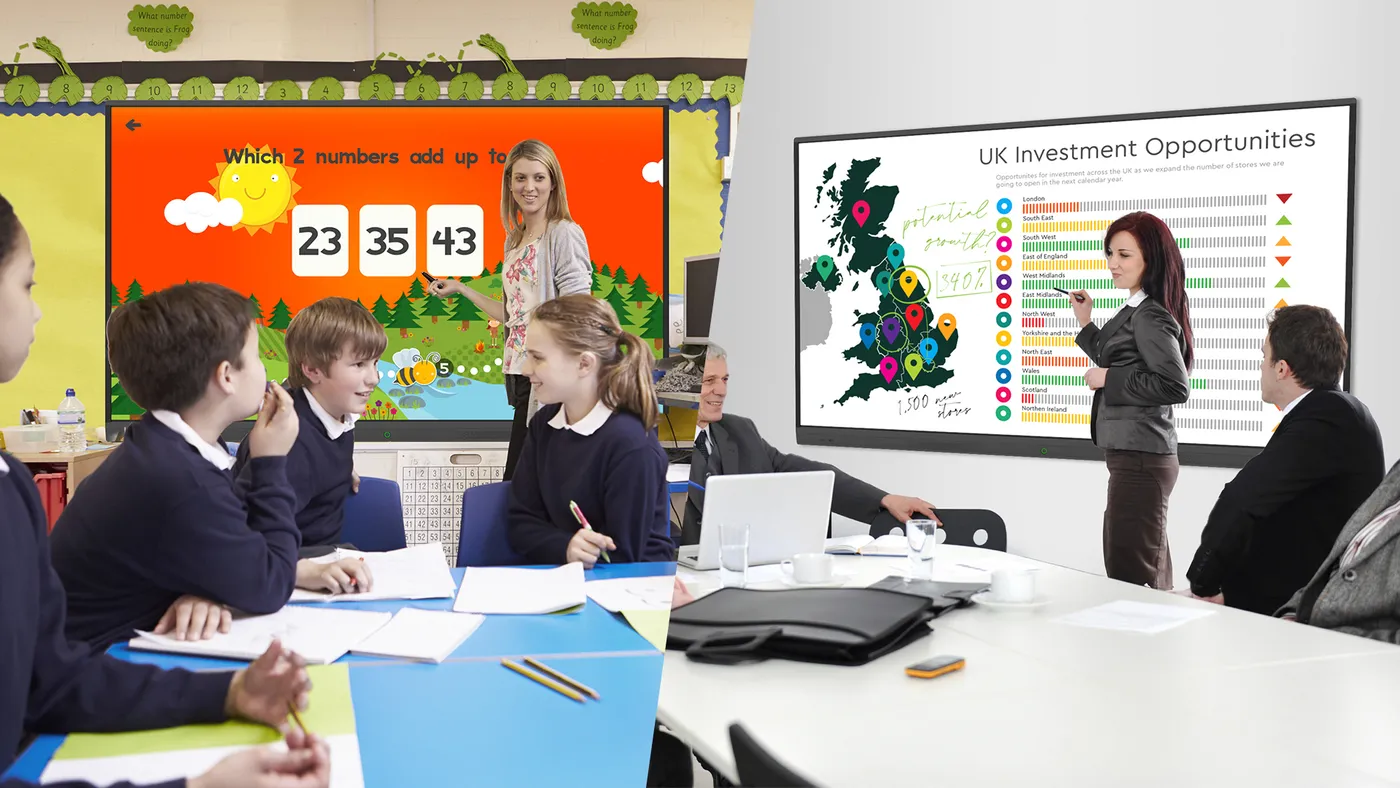
Choose a touch display for whiteboarding and shared presentations. We check the room layout, mounting height and the devices you intend to use, including any wireless sharing requirements.
View interactive classroom displays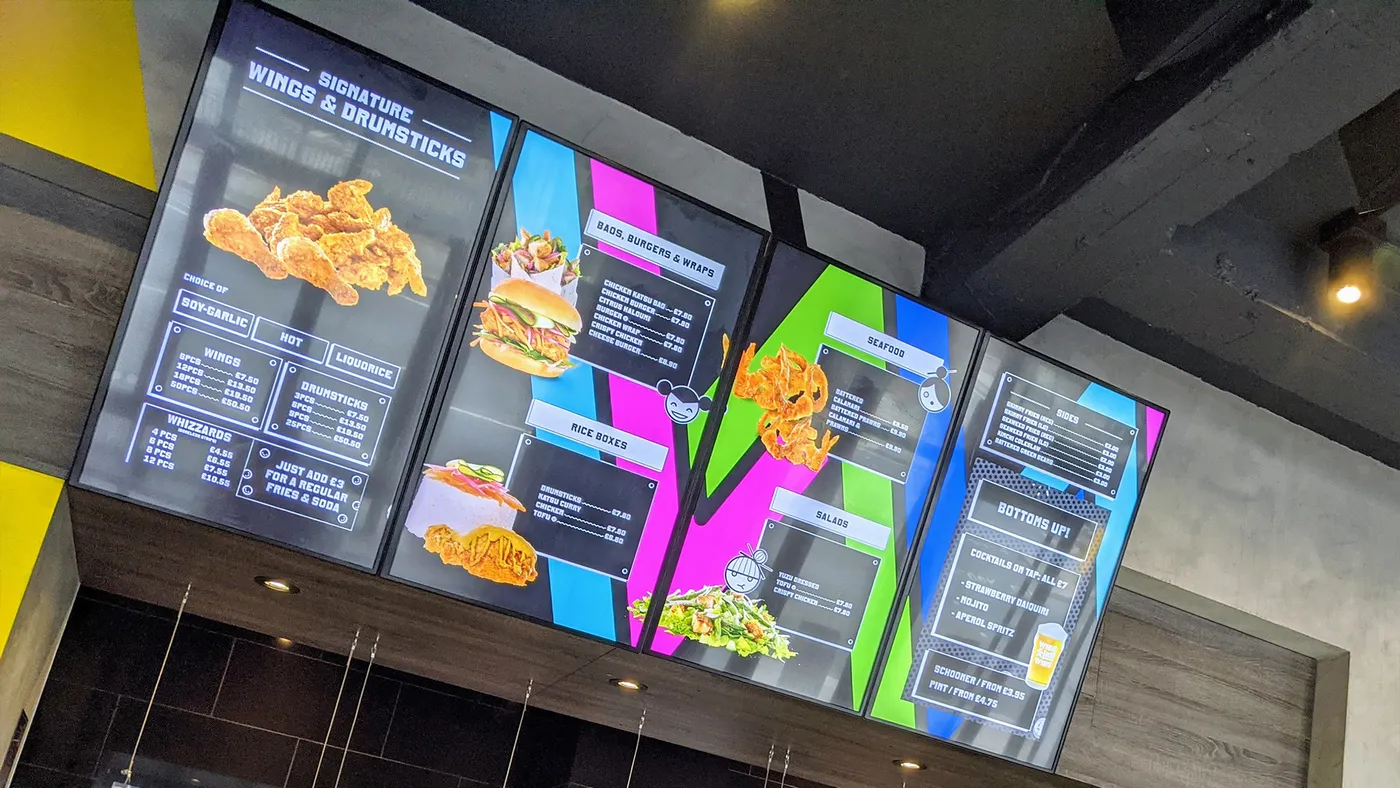
Use digital menu boards for meals, prices and notices. Plan the display positions around queues and service counters, and assign responsibility for keeping the information accurate.
View digital menu boardsTell us which rooms or shared spaces need screens and who will update them. We will discuss power, network access, secure mounting, installation timing and the software arrangement. A showroom appointment can help your team compare display formats before choosing.
Plan your education displaysSee working display formats and discuss your requirements with our team. Showroom visits are by appointment.
See equipment in person at Digi Sign NI showroom, Moneymore.
Discuss remote updates through ScreenZeno software or book a showroom appointment to compare the relevant setup.

A classroom display needs to suit teaching devices, interaction and the room layout. An entrance information screen serves a different purpose. Arrange a showroom demonstration with your typical presentation files and device details so the team can discuss the formats. Bring material from your own school so the demonstration reflects the way your team works.
Start by defining who prepares content, who approves it and which staff need publishing access. The selected platform must support the agreed workflow. Reception notices, classroom use and canteen menus may need different arrangements. Software compatibility and any subscription charges should be confirmed before equipment is chosen.
Consider where people stop, the distance they will read from and how quickly the message needs to be understood. Use short notices, readable text and current dates. Your organisation should decide which pupil images or information are approved for public display and who maintains that content.
Tell us the available access periods, proposed positions and any restrictions on work during teaching hours. We need to assess mounting, cable routes, power and network access. Include the devices to be connected and any room changes already planned so the quotation reflects the complete installation requirement.