
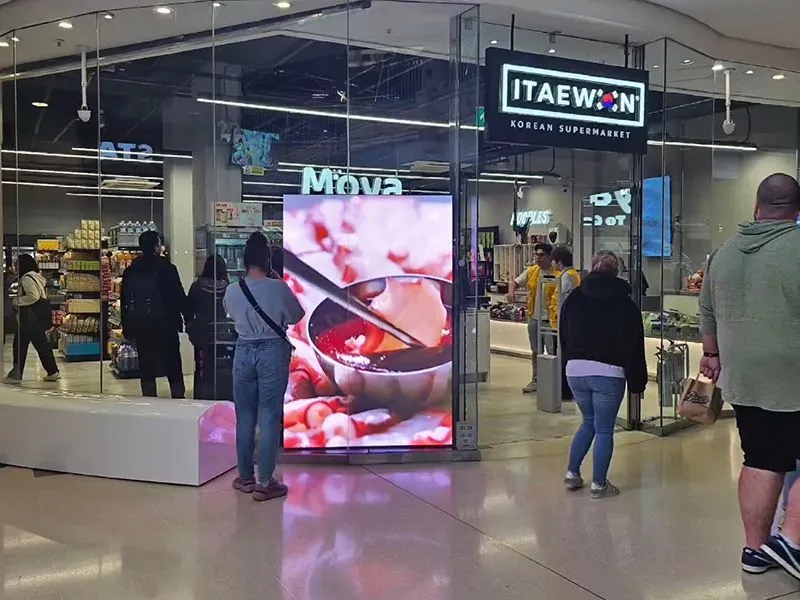
Give each screen a clear job
Decide what someone should learn or do after seeing the screen. A product promotion, menu, reception message and directional sign serve different needs. The content should reflect that purpose.
Make the message readable
Use short headlines, suitable text sizes and strong contrast. A customer walking past a display has less time to read than someone waiting in reception. Too many competing messages can make either screen harder to understand.
Match the schedule to the audience
Compatible networked signage systems allow content to be changed and scheduled. A business can prepare different messages for the time of day, location or campaign, instead of leaving the same promotion running indefinitely.
Keep information accurate
Assign someone to review prices, dates and offers. Remove expired content and check that any web link or QR code leads to the intended destination.
Digital signage creates a flexible communication channel, but results depend on the location, content and customer response. Digi Sign can help plan the equipment and content workflow for your business.
Related planning advice
For a practical reference, see menu and promotional screens at Florentines. The equipment and responsibilities described belong to that project; your proposal is specified around your own location and requirements.
Explore retail signage and compare the commercial advertising displays. Confirm the viewing distance, operating hours, mounting and content source before choosing the model.
How will the content stay current?
Agree who creates updates, who approves them and when old material is removed. If remote scheduling is required, review ScreenZeno content management and have compatibility checked for the selected display or player. Any integration with another system and recurring software charges should be identified in the quotation.
What should I send for an installed quotation?
Include photographs, approximate dimensions, typical content and your preferred installation timing. Mention existing equipment, available power and network access. Ask for the displays, mounting, playback, fitting and initial content work to be listed clearly. You can also book a showroom visit in Moneymore to discuss the setup.